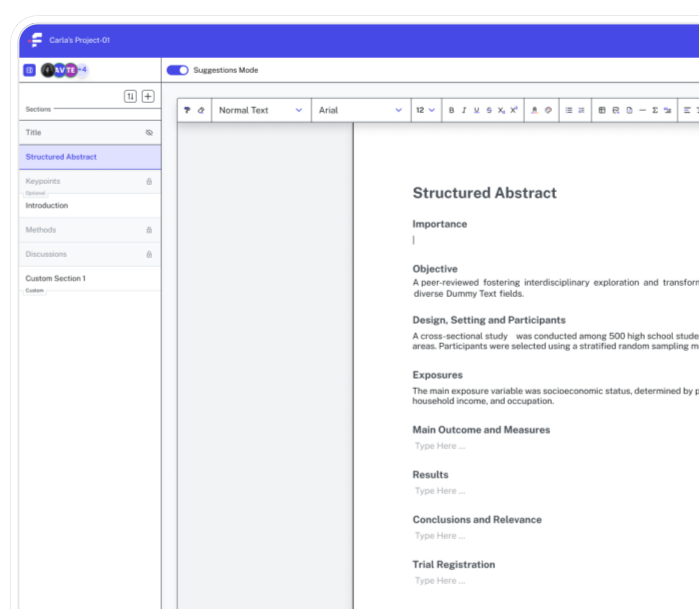
Citation Manager
Citation Manager automatically formats your references to match any journal’s custom required style, and updates them instantly when you switch.
Built for teams across


Beautiful analytics to grow smarter
Powerful, self-serve product and growth analytics to help you convert, engage, and retain more users. Trusted by over 4,000 startups.
Accurate Citations Without Manual Effort
Reference sections are where manuscripts quietly (but frequently) go wrong. A misformatted citation, a missing author name, a volume number in the wrong position, all of these small errors take a disproportionate time to catch and fix. The Citation Manager handles the formatting side so that author energy goes toward the research itself.
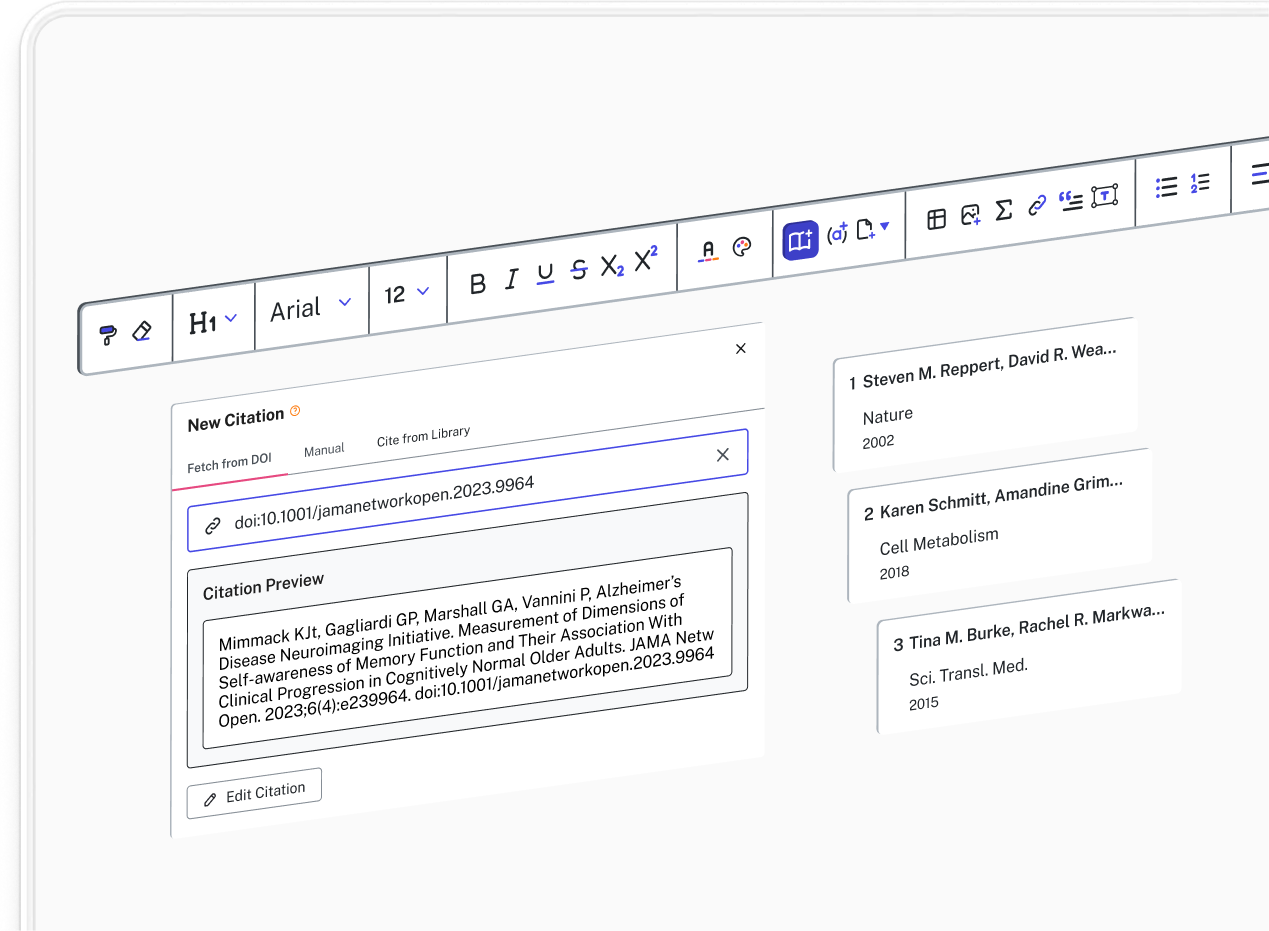
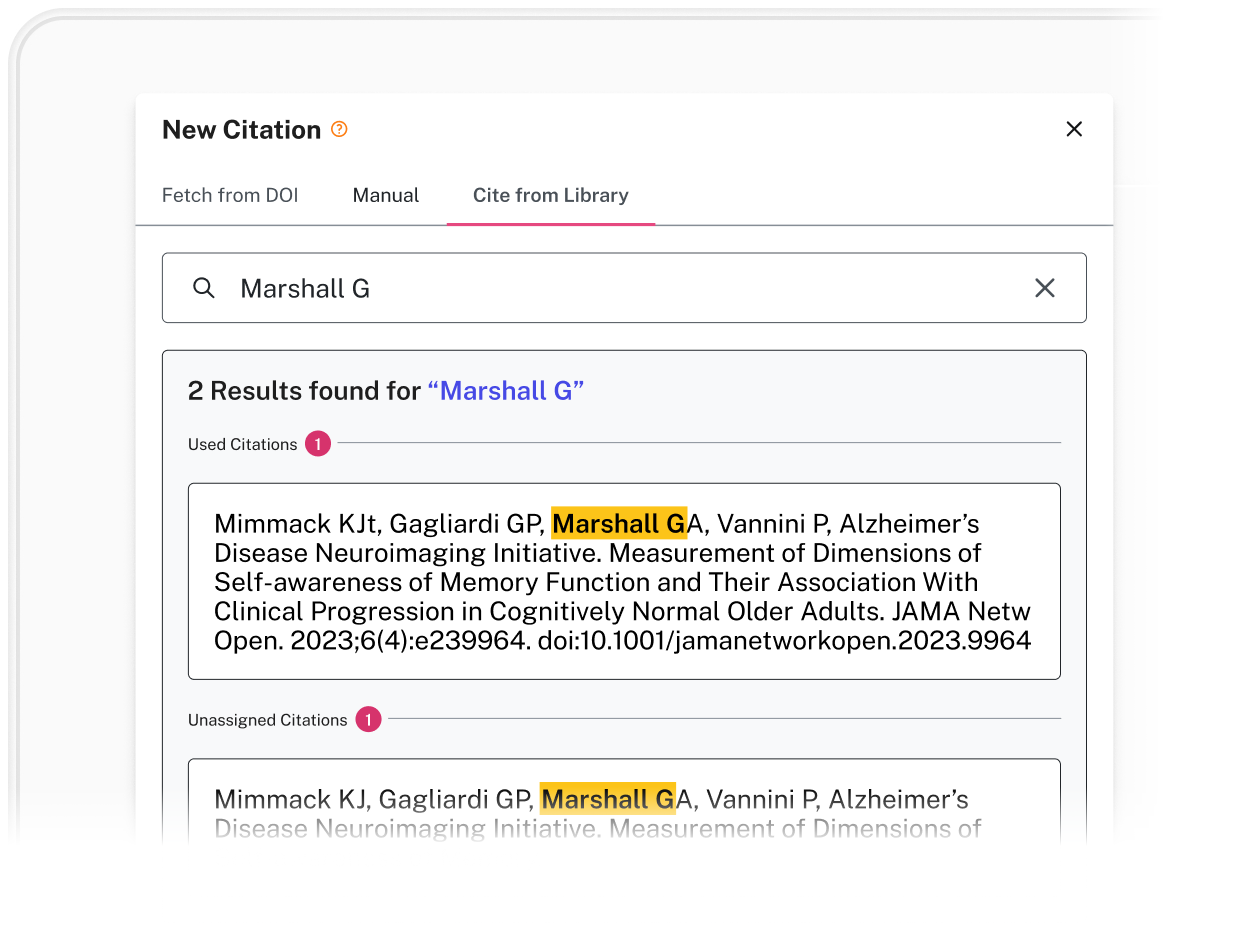
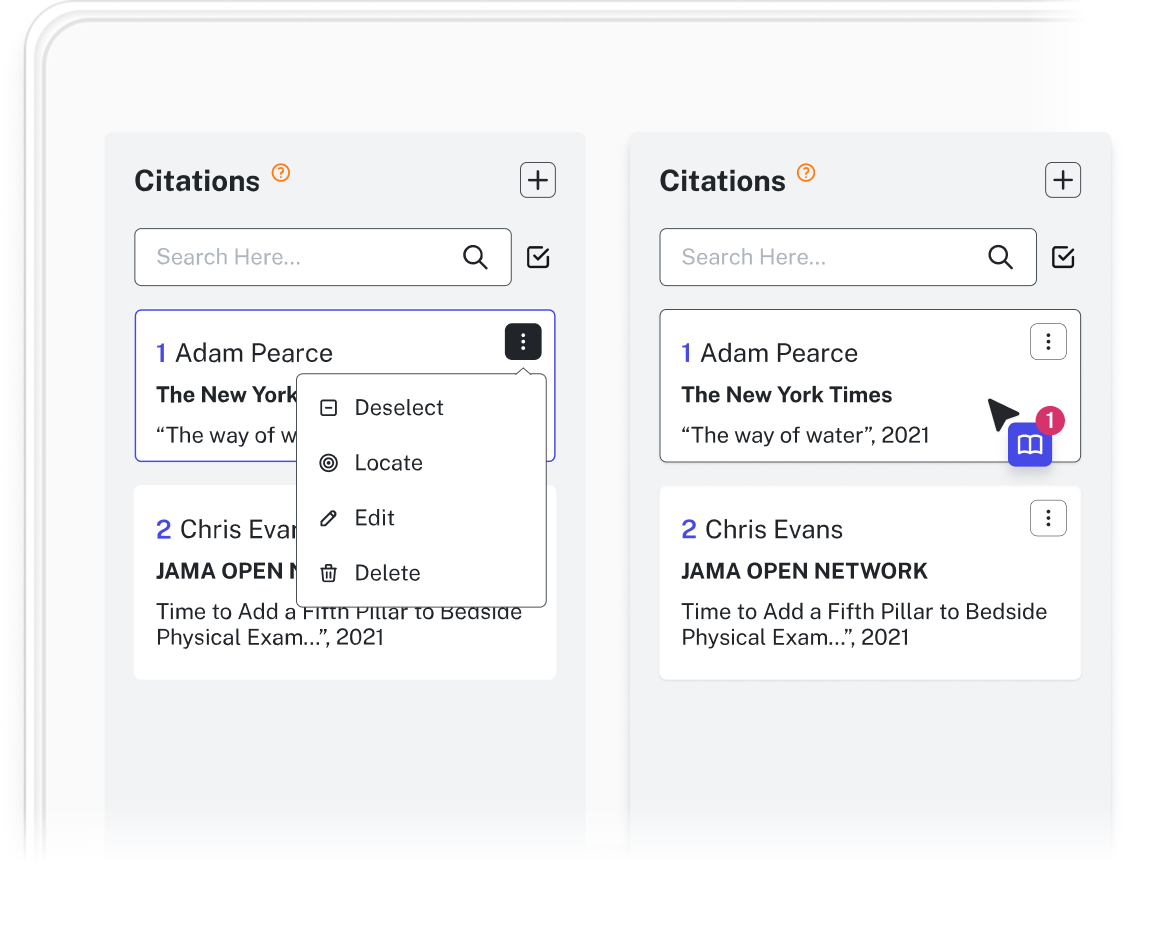
Citations can be added by pasting in the DOI or URL. Author names, publishers, volume numbers, access dates: all populated automatically, without manual entry.
Citation Formatting That Adapts to Every Journal
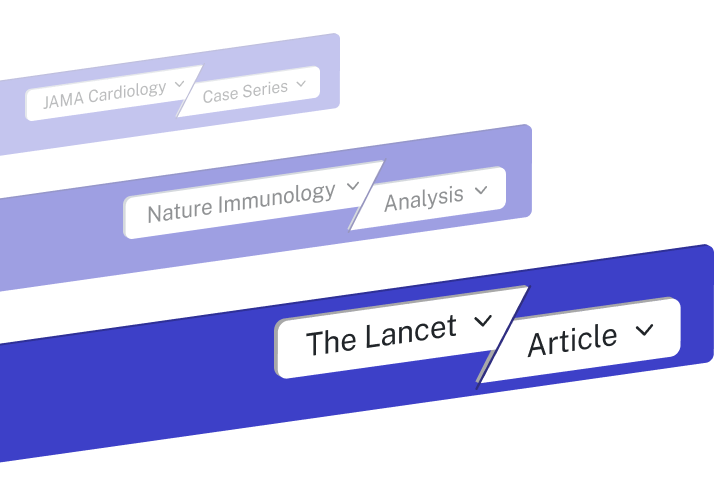
From there, a built-in formatting engine applies journal-specific rules to every citation in the document. This goes beyond standard styles like APA or Vancouver; it includes publisher-specific house styles that standard reference managers don't cover.
Switching the target journal reformats every in-text citation and reshapes the full reference list to match, automatically.
Never Renumber References Manually Again
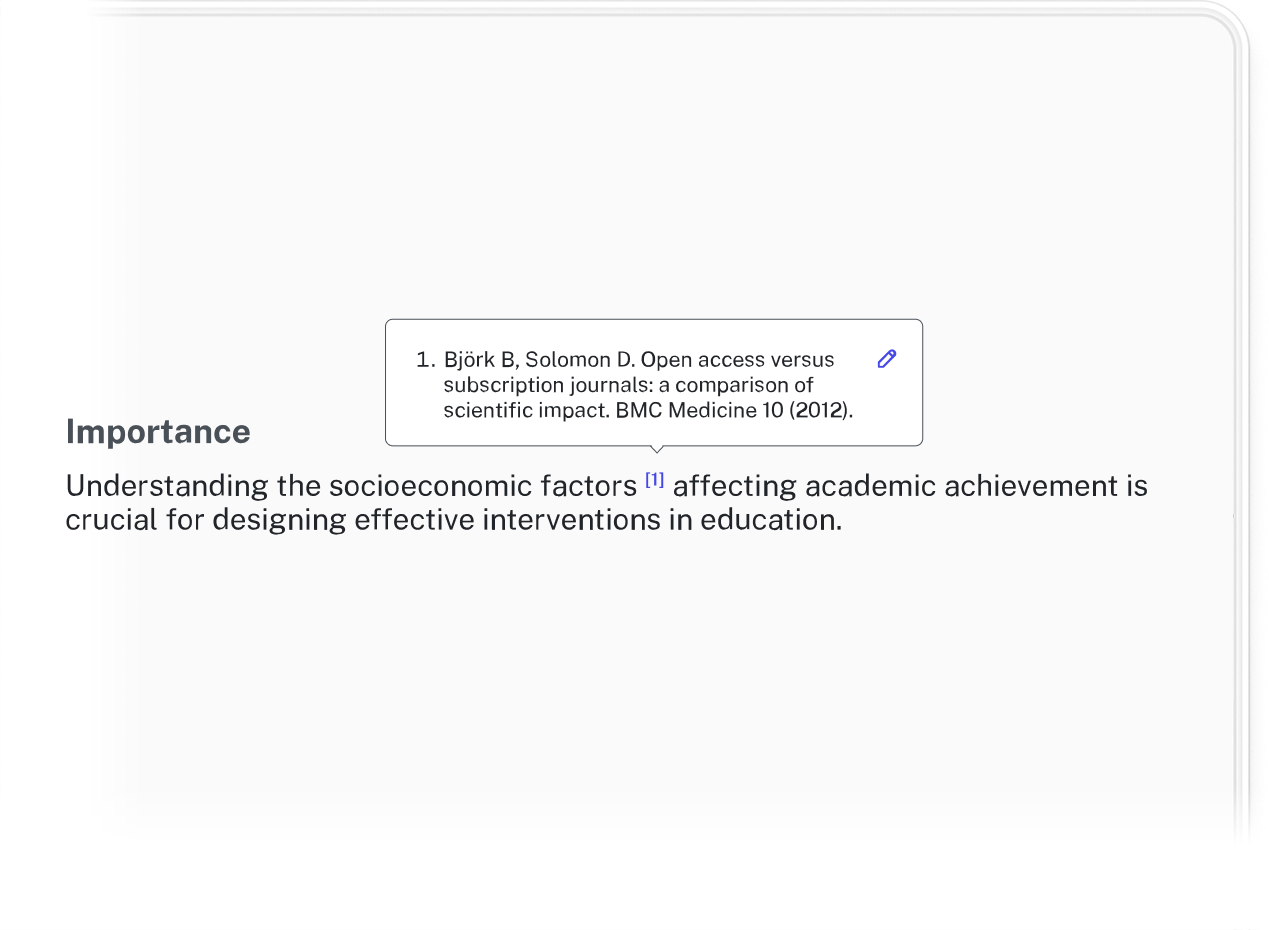
The reference list and body text stay linked throughout the editing process. Move a section, add a paragraph, reorder figures and the citations renumber accordingly and the reference list updates in turn. Additional references to the same work can be placed anywhere in the manuscript without manual superscript adjustments, which removes one of the more tedious workarounds researchers have learned to live with in standard word processors.
The result is a reference section that stays accurate from first draft to final submission, regardless of how much the manuscript changes or how many times the target journal does.

Key Benefits

One action, two outputs
Placing an in-text citation creates the bibliographic entry simultaneously. No separate formatting step, no returning to the reference list to add what you already cited.

Bulk reformatting
Switching the target journal reformats every citation and rebuilds the reference list to match, without editing comma placement or italicization by hand.

Fewer desk rejections
Journals enforce formatting requirements precisely, and errors in a reference list can stop a manuscript before it reaches peer review. The Citation Manager applies pre-coded rules for hundreds of journals, covering details like bracket placement, volume number formatting, and the exact author count before "et al.", without requiring you to memorize the style guide.

Consistent from first citation to last
The same rules apply to citation (1) as to citation (50). If a source needs correcting (a misspelled author name, for example) updating it once updates every instance across the manuscript automatically.

Dynamic Numbering and Sequencing
Insert a new reference anywhere in the document and the numbering sequence updates accordingly. No broken links between in-text numbers and their reference list entries.
See it in action
Automatically imports citations exactly how the journal requires.
Our reviews
11 out of 10 on journal reformatting. - Senior Medical Writer, Biotech
Frequently asked questions
Everything you need to know about our product.
The tool features a Formatting Engine that includes hundreds of pre-configured styles. This covers major standards like APA, MLA, Chicago, and Vancouver, as well as specific styles for thousands of individual peer-reviewed journals across all scientific and academic disciplines.
By selecting a new target journal from the database, the Citation Manager instantly updates every in-text citation and the entire bibliography. It automatically handles the heavy lifting, such as changing numerical citations to author-date formats or adjusting the use of "et al." based on the new journal's specific rules.
Yes. Because the Citation Manager maintains a dynamic link between your reference database and the manuscript, it eliminates common manual errors. It ensures that every source cited in the text appears in the references (and vice versa) and perfectly maintains punctuation, italics, and capitalization according to the required style.
In the event of a rejection, resubmitting to a new publisher usually requires hours of re-formatting. With this tool, that process is reduced to a single click. It reorders citations to match the new sequence of the paper and adjusts all formatting instantly, allowing you to focus on content revisions rather than technicalities.
Different journals have varying rules on when to use "et al." (e.g., after three authors vs. after six). The Citation Manager tracks these rules for each journal and updates your author lists automatically whenever you switch styles.
New citations are created by pasting the DOI or URL, at which point Formulaic pulls all the relevant details into the reference manager instantly. Citations can also be entered manually.
Yes, adding a subsequent citation to the same work maintains the citation ordering without the need for manually adding superscript numbers. All in-text citations linked to the same work will update automatically.
Join the researchers already on the list

Early access and special launch pricing
A dedicated onboarding session to get you set up
Full access to every tool from day one