Journal Switcher
The Journal Switcher reformats your manuscript to match any journal's requirements in seconds, not hours.
Built for teams across


Beautiful analytics to grow smarter
Powerful, self-serve product and growth analytics to help you convert, engage, and retain more users. Trusted by over 4,000 startups.
Reformat In Seconds
Switching journals used to mean starting over. Reformatting a manuscript for a new journal has historically meant hours of manual work: restructuring sections, rebuilding reference lists, adjusting word counts, and hoping nothing fell through the cracks.
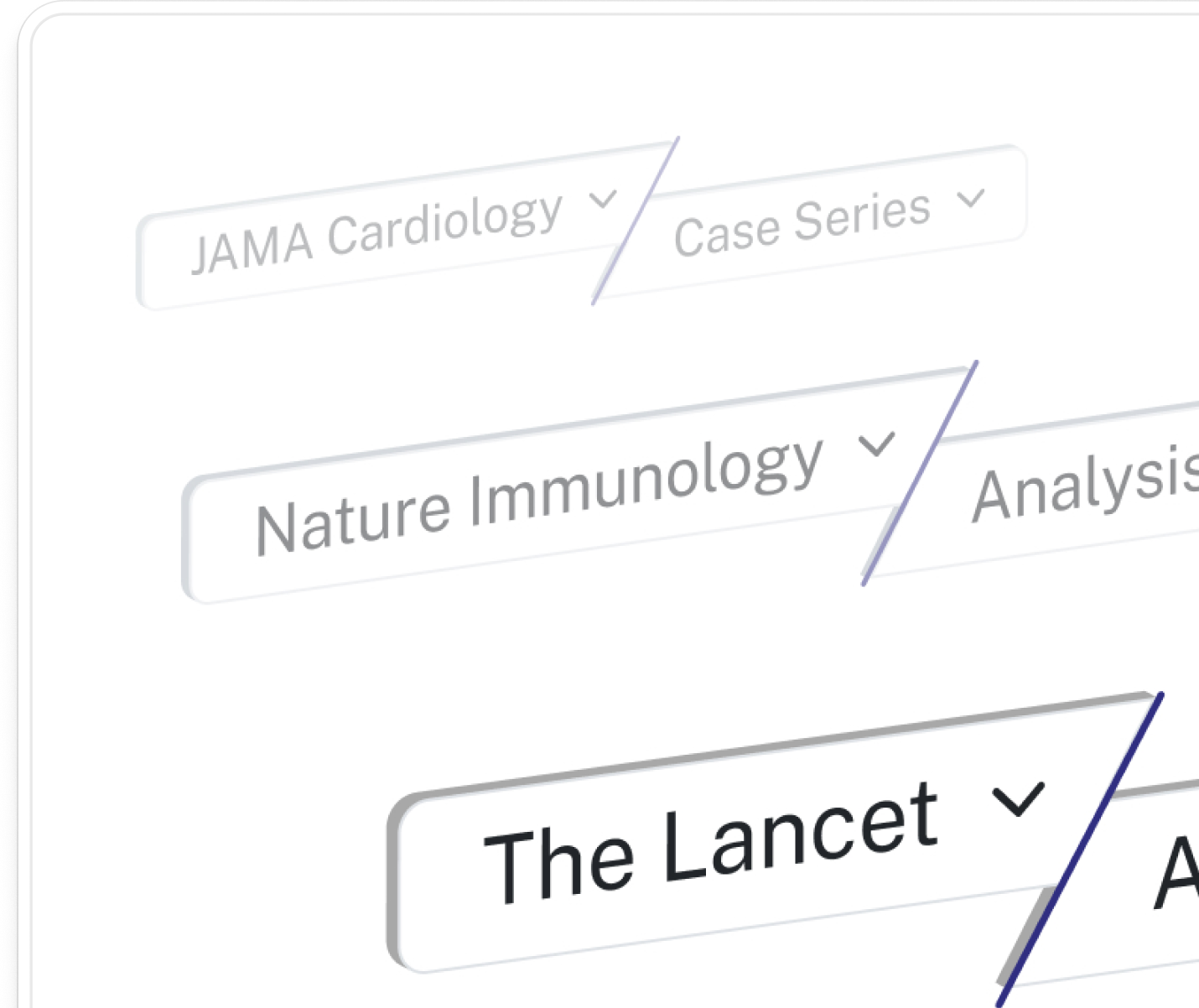
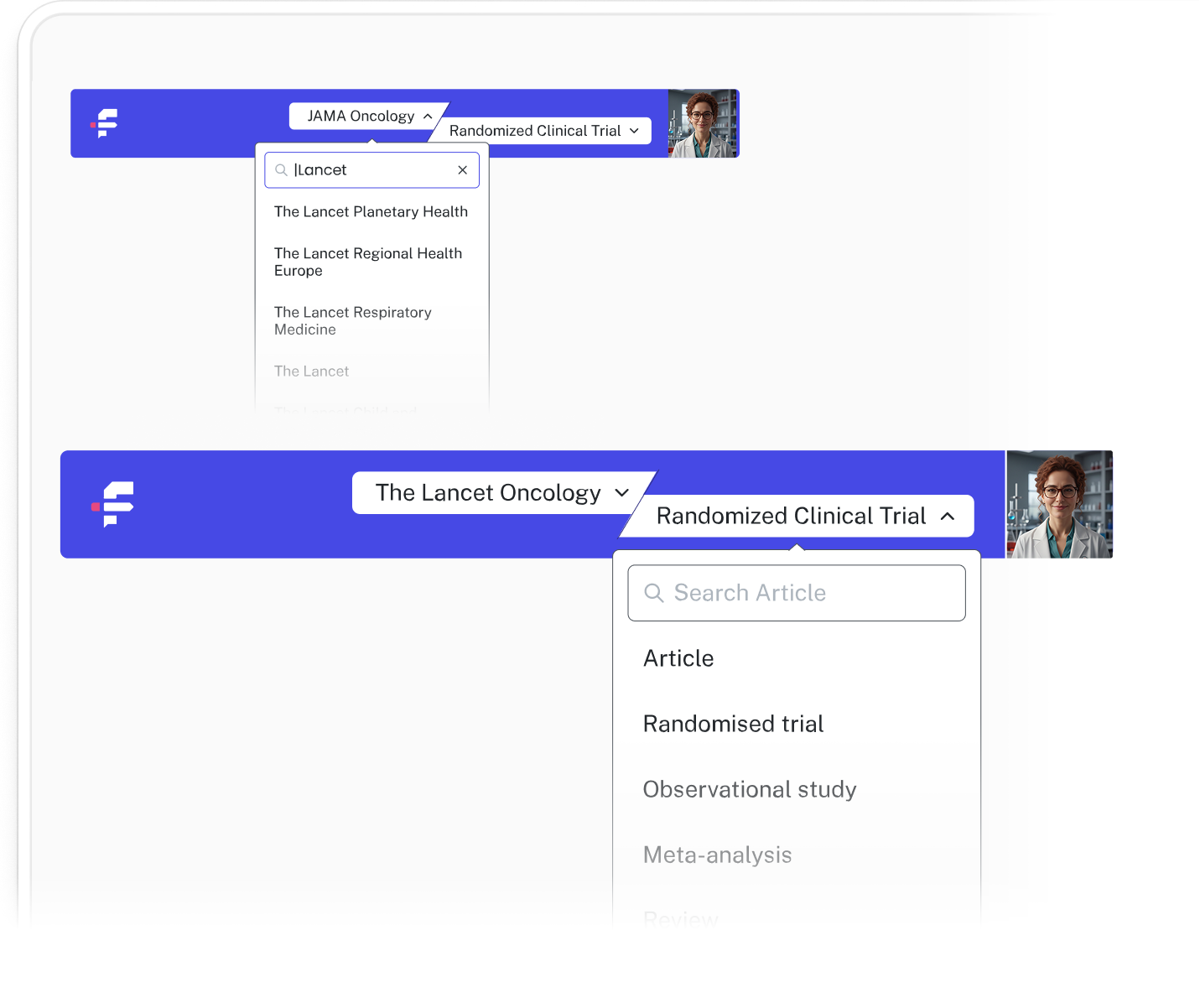
The Journal Switcher reformats the full document to any journal's specifications in seconds. Switch a full research article to a short communication format, move from APA to Vancouver citations, or restructure section headings to match a new journal's template, all in a few clicks and without touching a single citation by hand.
Section Mapping
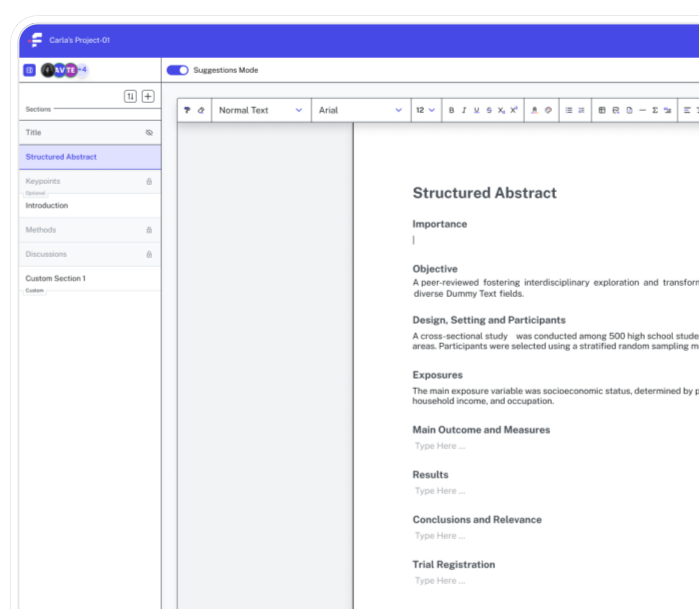
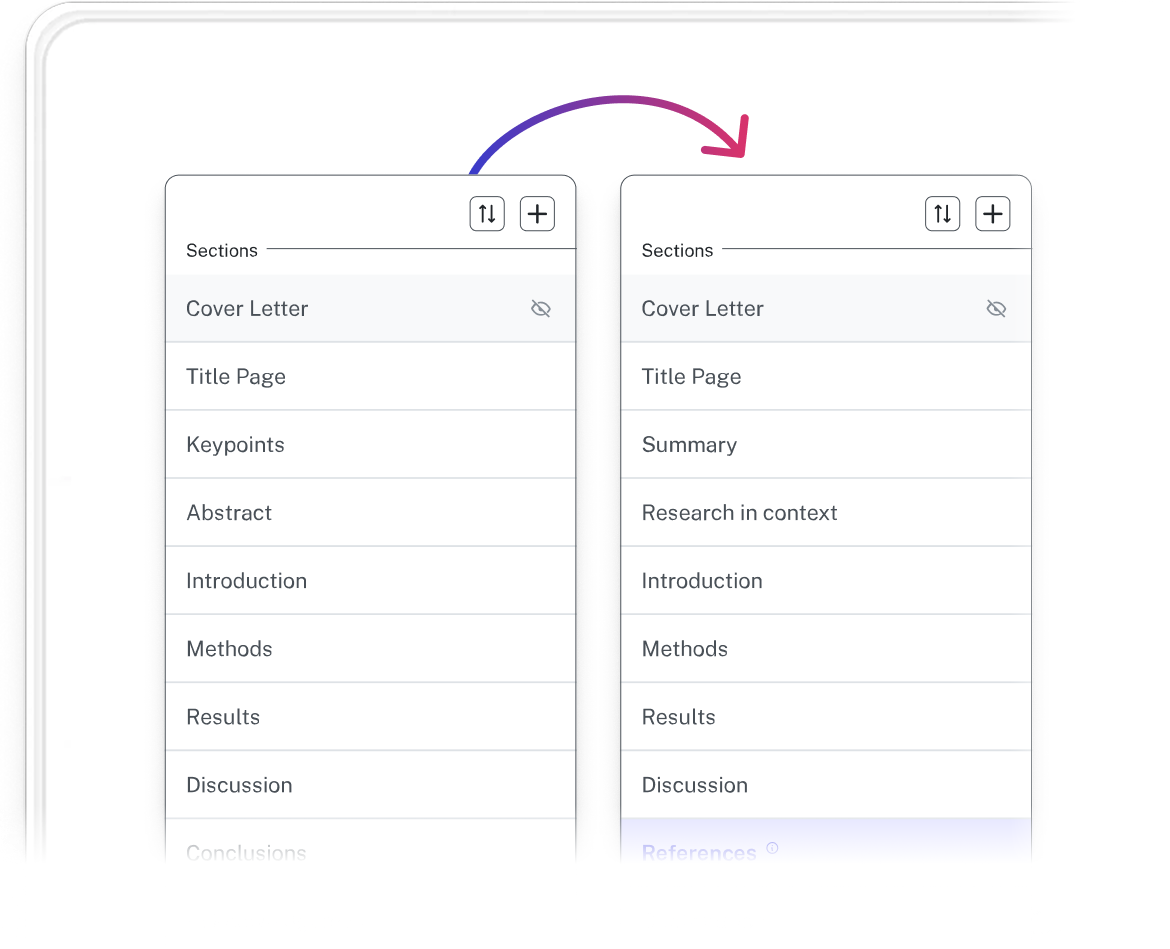
The reason it works cleanly is that the Journal Switcher reads your document as structured data rather than static text. Most reformatting tools parse a document the way a copy-paste does: they see words and layout, not the underlying architecture.
The Journal Switcher understands the relationship between components (body text, citations, figures, tables, section hierarchies, etc.) which is what allows it to apply a new journal's requirements without breaking that structure in the process.
Preserve Your Wording
The Journal Switcher draws from hundreds of international journals and includes the full rulesets, including word and character limits, abstract formats, reference styles, heading conventions, and section requirements. When you change journals, all of your content comes through intact, but now mapped correctly to the new requirements.
When the target journal changes, the manuscript follows. The research stays yours.

Key Benefits

Significant Time Savings
The most immediate benefit of the Journal Switcher is the transition from hours to seconds. Manually adjusting citations, heading styles, and margin requirements for a new journal can consume a full workday. Journal Switcher handles all of it automatically, compressing that process to a few clicks.

Data Preservation
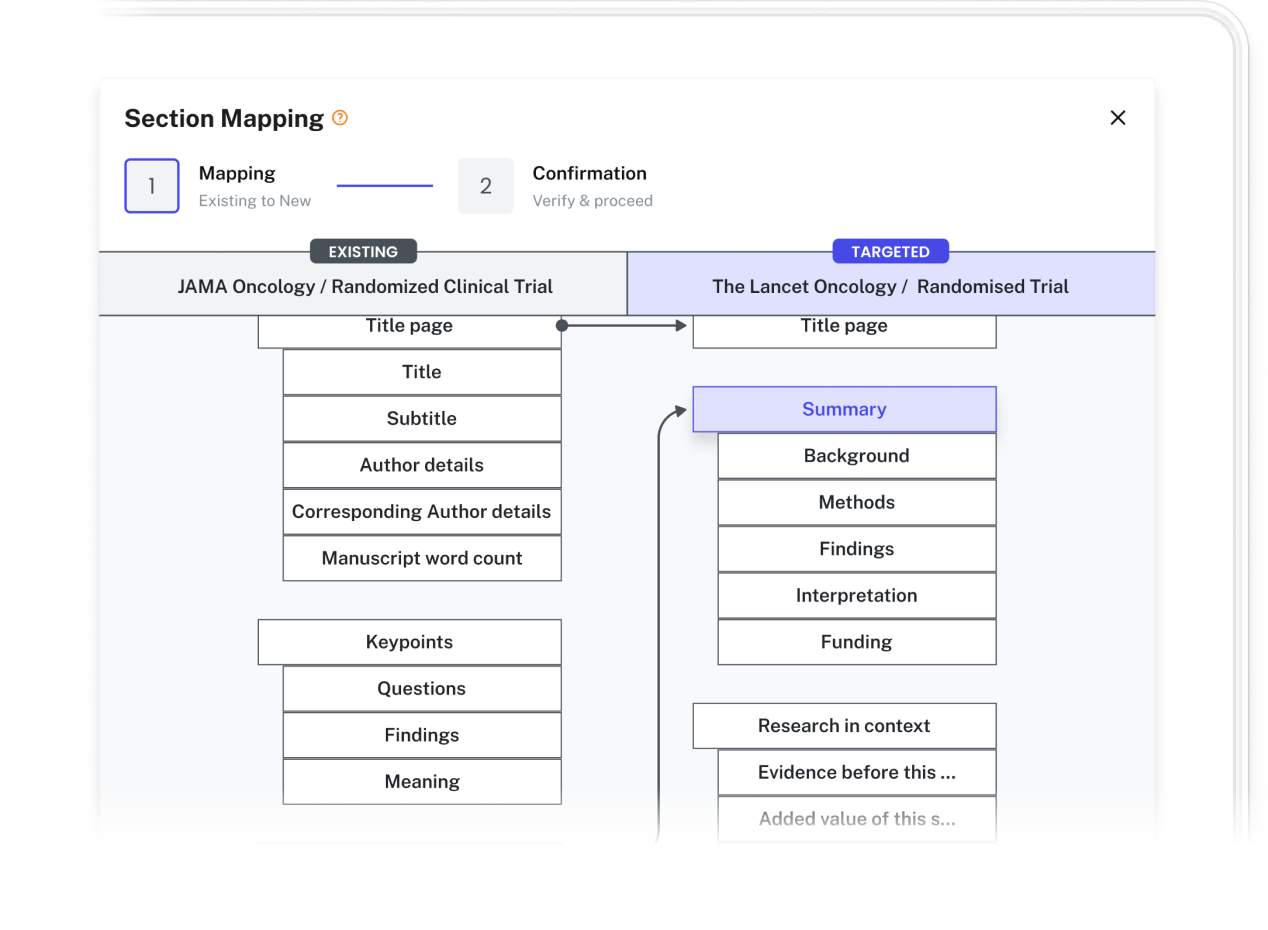
The Journal Switcher enables you to switch from a Journal & Article selection to any other Journal & Article, without losing any of your data. If anything does not have a clear match, the section mapper will help you find a new home for all of your content, so nothing gets dropped or buried.

Lower Barriers to Resubmission
The rejection-resubmission cycle is taxing enough without spending a weekend reformatting. By lowering the activation energy of trying a new journal, the Journal Switcher makes it realistic to submit to reach journals first, knowing a backup submission won't require starting over.

Reduced Formatting Errors
Manual reformatting leaves room for small errors with real consequences: a misplaced bracket in a bibliography, or an abstract that runs 50 words over a journal's limit. The Journal Switcher applies the target style sheet to your full document, reducing the risk of desk rejection due to technical non-compliance.
See it in action
Change formats from journal to journal with a click.
Our reviews
11 out of 10 on journal reformatting. - Senior Medical Writer, Biotech
Frequently asked questions
Everything you need to know about our product.
The Journal Switcher is an automated formatting engine that instantly adapts your manuscript, including citations, references, headings, margins, and layout, to meet the specific submission guidelines of any academic journal.
Formulaic currently supports over 250 journal styles, and is currently adding more, including major publishers like Elsevier, Springer, Nature, Wiley, and Taylor & Francis.
Yes. While manual reformatting can take 4–8 hours depending on the complexity of the citations, Formulaic processes the entire document in approximately 30 seconds.
The Switcher adjusts table styles and figure placement guidelines based on the target journal. While it doesn't edit the content of your images, it ensures the captions and numbering follow the required sequence.
Yes. If your manuscript is rejected or if you decide to target a different journal, you can run the Switcher as many times as you need.
No. The Journal Switcher only modifies the formatting and structure of your document. It does not rewrite your sentences, change your data, or alter your scientific conclusions.
Yes. Journal Switcher is built with a native formula engine. It recognizes and preserves all mathematical syntax, ensuring that equations are not corrupted or converted into low-resolution images during the transition between journal templates.
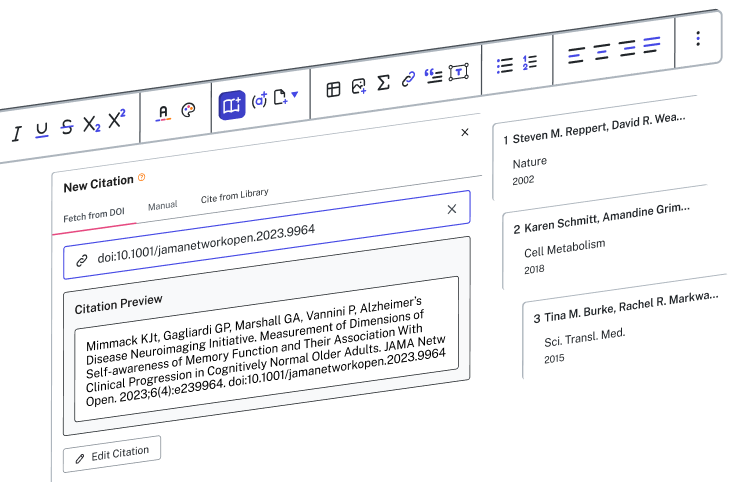
The tool maintains a master reference list for each project. When you switch journals, it automatically re-maps citations to the required style (e.g., switching from numerical Vancouver style to alphabetical Harvard style) and updates the bibliography layout instantly.
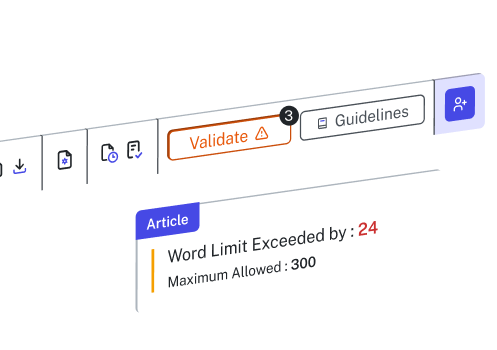
Journal Switcher flags sections that exceed the target journal's limits and provides a real-time comparison of your current word counts against the new constraints, so you can trim strategically without losing your original draft.
Yes. The tool allows for Article Type mapping. It suggests which sections to merge (e.g., combining Results and Discussion) based on the standard architecture of the selected article type to reduce structural rewrite time.
All reformatting occurs within an encrypted environment. Your manuscript data is treated as private intellectual property and is never used to train external models or shared with third-party databases.
Yes. Journal Switcher can restructure tables to meet specific journal requirements and can automatically separate or bundle supplementary files according to the new submission guidelines.
Join the researchers already on the list

Early access and special launch pricing
A dedicated onboarding session to get you set up
Full access to every tool from day one