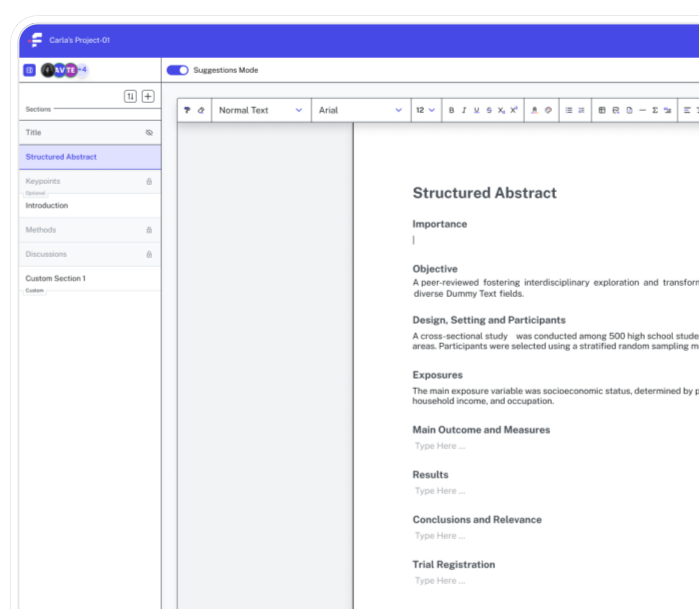
Collaboration Tools
Collaboration Tools let multiple authors work simultaneously while preserving formatting and maintaining a complete version history.
Built for teams across


Beautiful analytics to grow smarter
Powerful, self-serve product and growth analytics to help you convert, engage, and retain more users. Trusted by over 4,000 startups.
Collaborative Manuscript Management
Most multi-author manuscripts move through a familiar and painful cycle: one person edits, sends the file, another edits, sends it back, and somewhere in the middle of this digital ping-pong match, a version gets lost or overwritten.
By the time the manuscript is ready to submit, nobody is entirely sure which draft is current.
A Shared Workspace for Research Teams
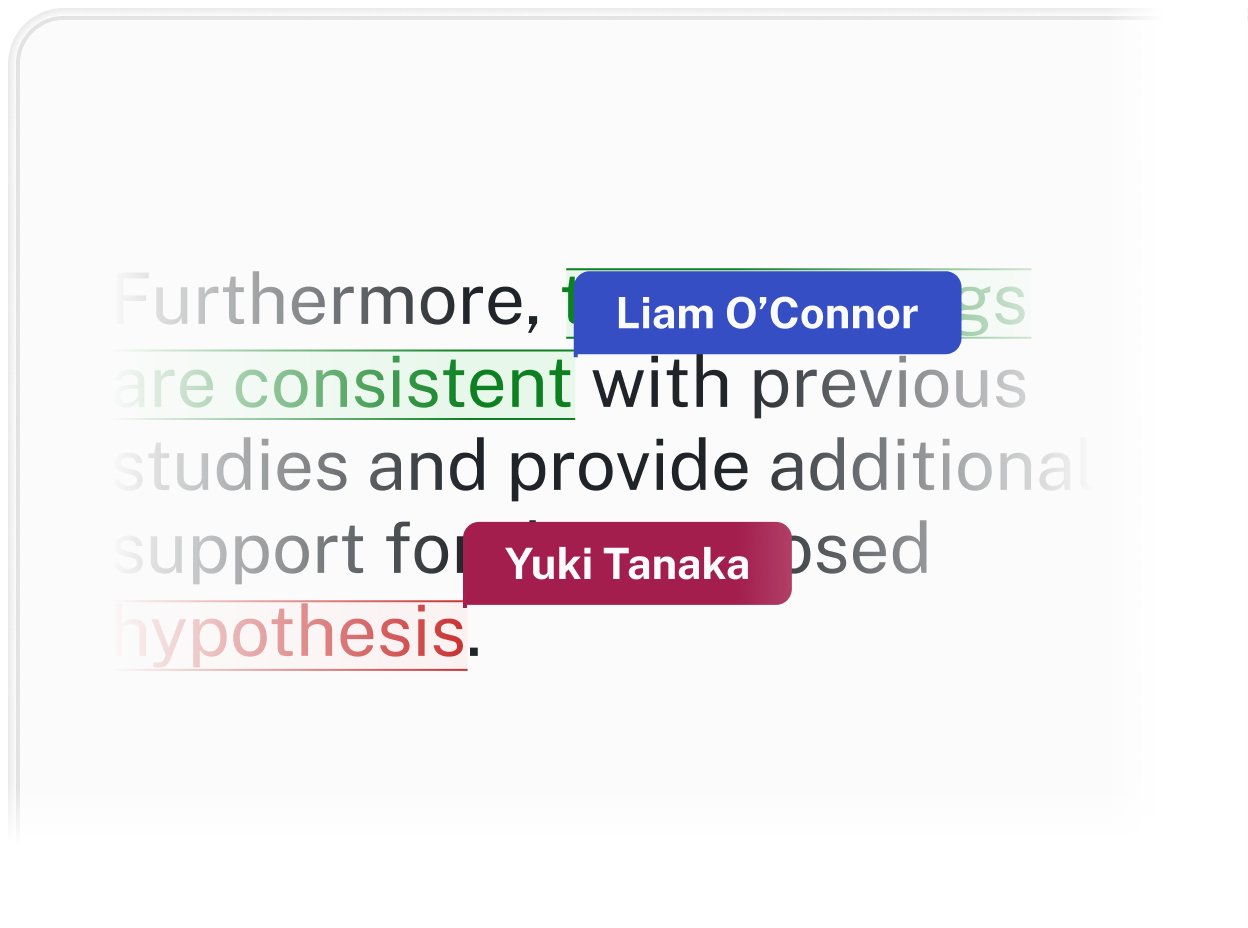
Every contributor works from the same document in real time. Edits from any author appear immediately, with no file transfers and no version conflicts to untangle.
Threaded comments let reviewers leave feedback directly on specific sentences or paragraphs, keeping discussions tied to the text they reference, rather than scattered across an email chain.
Complete Visibility Into Every Revision
Formatting stays consistent regardless of who is editing. Changes made by one author don't override the journal's style requirements or disrupt the work of another, which matters particularly when a submission deadline is close and multiple sections are being revised at once.
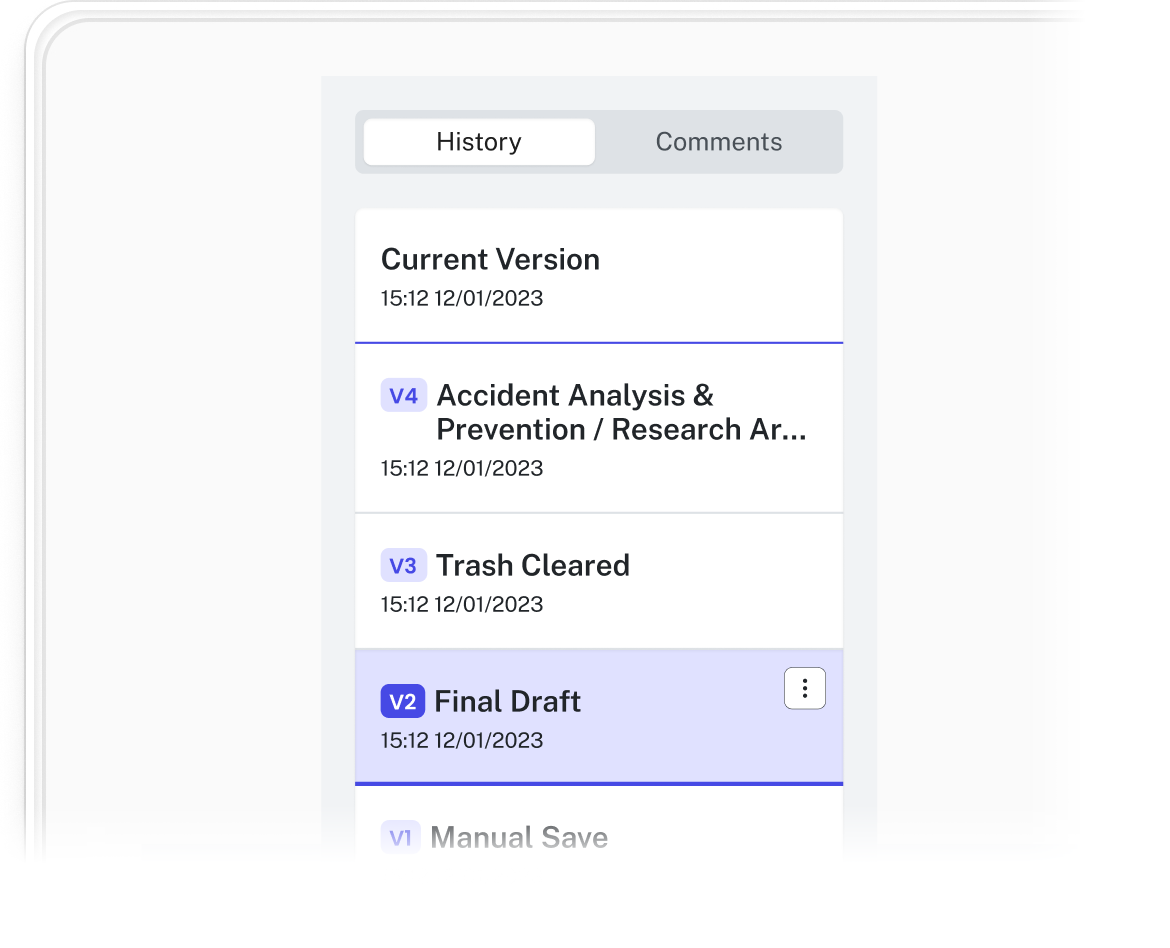
A complete version history logs every addition, deletion, and edit with timestamps. Teams can review how the manuscript developed, compare earlier drafts, and restore previous versions if a revision doesn't hold up.
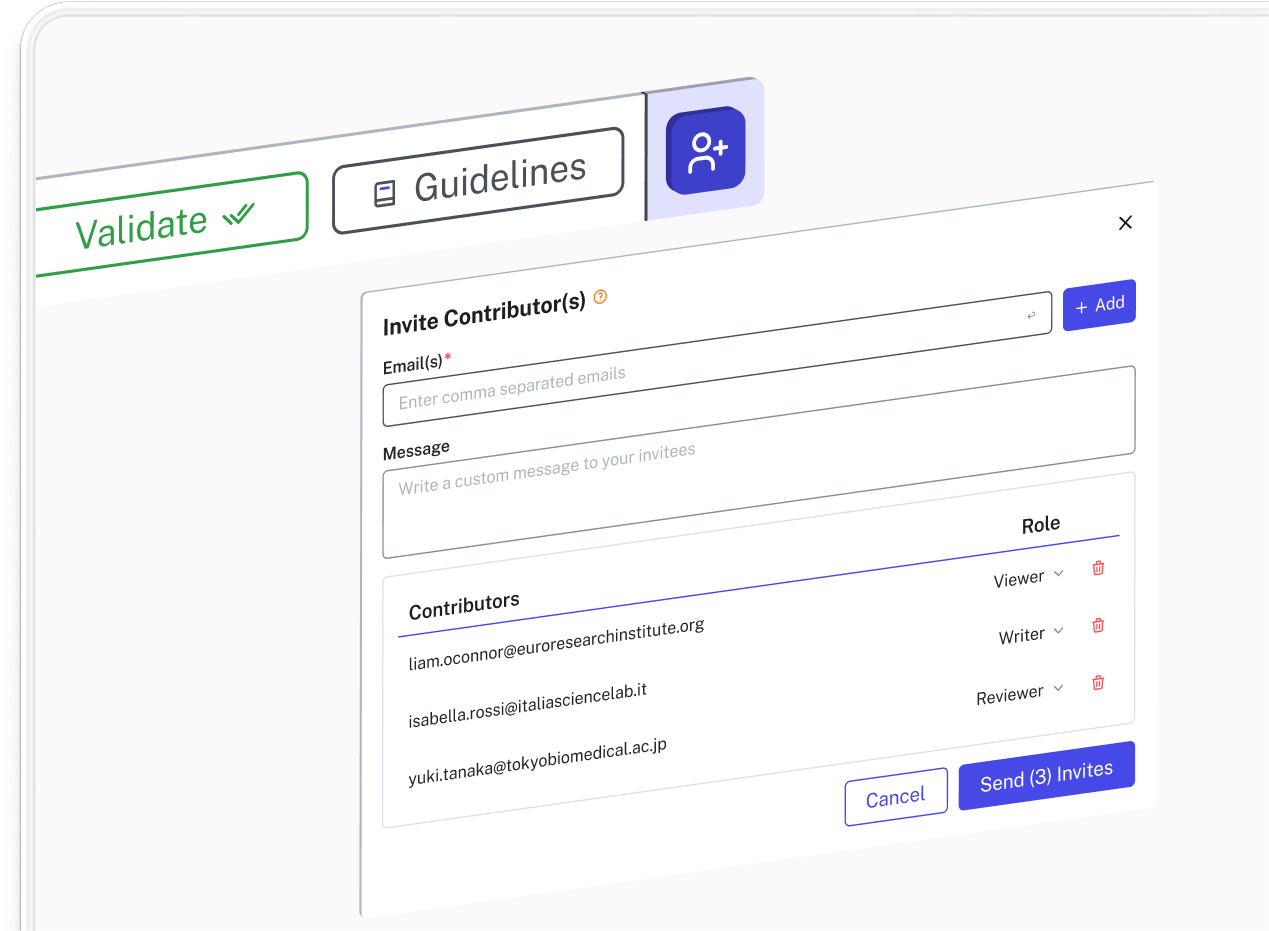
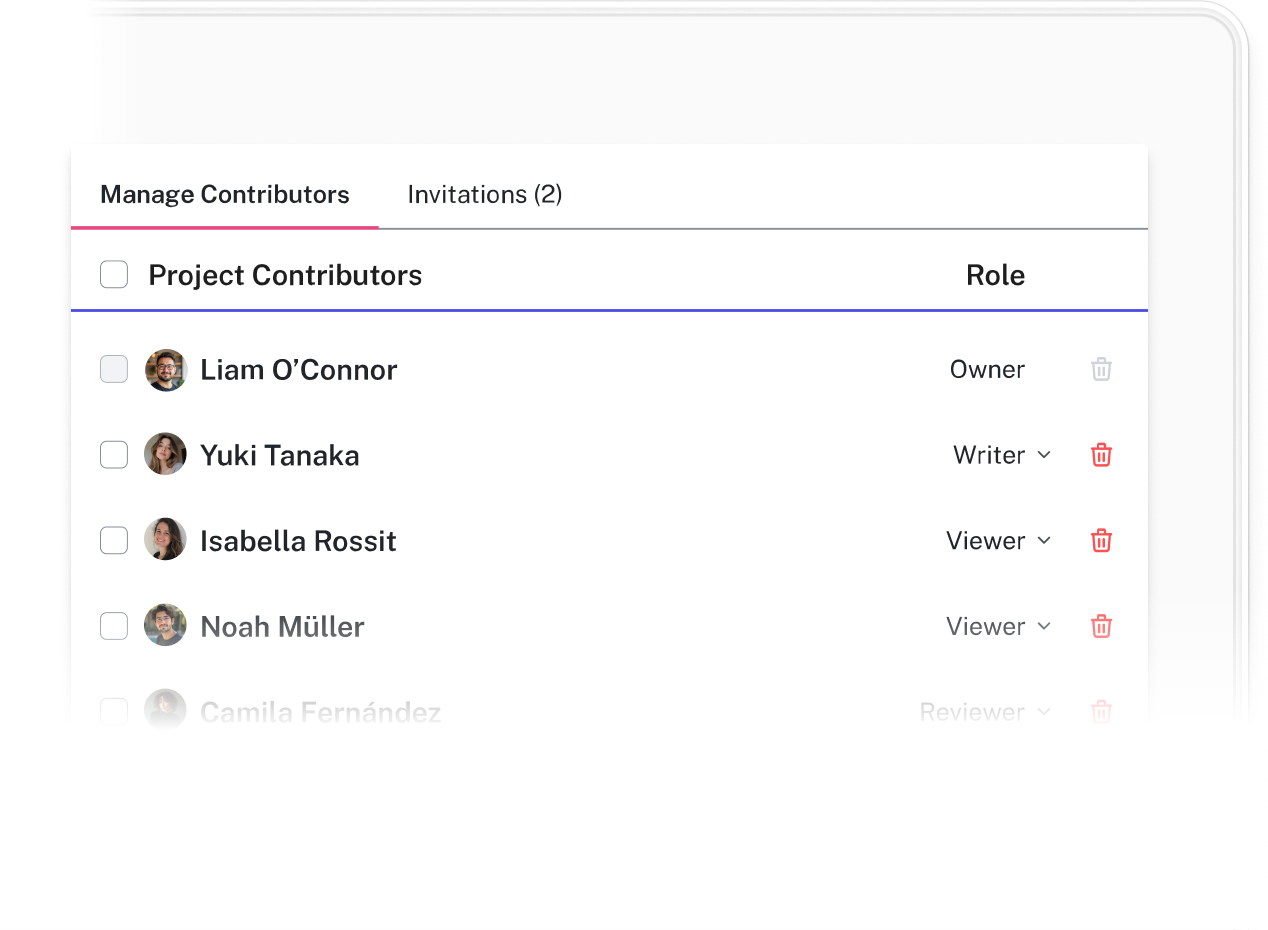
Access controls let the document owner assign specific roles: view, comment, or edit. Collaborators get what they need; sensitive unpublished data stays protected.

Key Benefits

No more version conflicts
Every author works from a single current document. The file attachment cycle and its attendant confusion are gone.

Contextual feedback
Comments attach directly to the text they reference, so feedback stays focused and discussions don't get lost in a separate thread.

Consistent formatting across contributors
Edits from any author work within the established journal style, without introducing formatting inconsistencies that need to be cleaned up later.

Complete version history
Every change is logged, giving the team a full record of how the manuscript evolved and the ability to revert to any previous state.

Granular access controls
Assign view, comment, or edit permissions by contributor, and “freeze” finalized sections to prevent further edits once they've been approved. External reviewers can leave feedback without accessing sections they don't need to see.
See it in action
Work seamlessly across teams without version control breakdowns.
Our reviews
11 out of 10 on journal reformatting. - Senior Medical Writer, Biotech
Frequently asked questions
Everything you need to know about our product.
Read-only or comment-only permissions can be granted for any collaborator.
Accountability is maintained through detailed logs that attribute every character to the specific user account that typed it.
Formulaic supports up to a maximum of 50 simultaneous editors on a single document.
Yes. You will see colored cursors representing each active user. Their name or initials will appear next to their cursor, and a list of active collaborators is displayed in the top-right corner of the editor.
Our system uses Operational Transformation (OT) to resolve conflicts in real-time. Changes are merged instantly based on the precise timestamp of the keystroke, ensuring that no text is overwritten or lost during simultaneous typing.
The document saves automatically every few seconds as long as you have an active internet connection. Every major editing session is also archived as a "Version" in the history log. You also have an option of doing a Manual save by clicking on the save button from the Global toolbar.
Yes. When viewing a past version, you have three options:
1. Rename: You can change the name of a draft version.
2. Restore Version: Will restore a previous version of the manuscript to be the active version
3. Delete: You can delete a version from the library.
Join the researchers already on the list

Early access and special launch pricing
A dedicated onboarding session to get you set up
Full access to every tool from day one