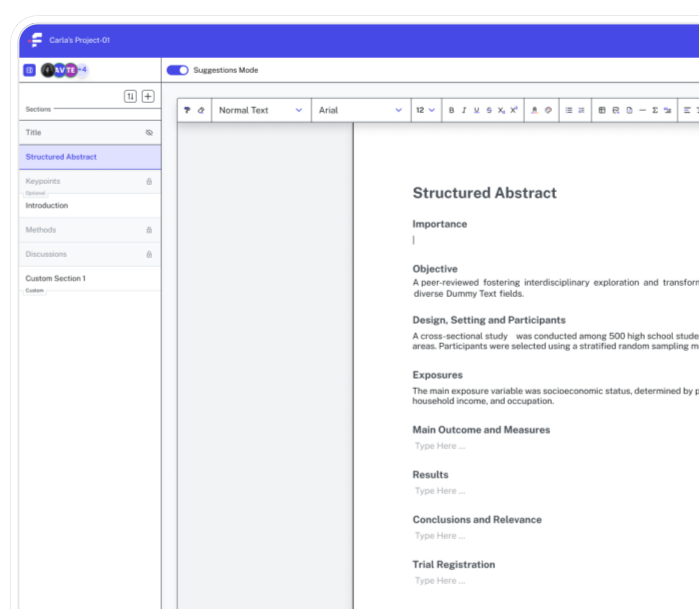
Everything you need to publish - now in one package
Citations, manuscript formatting, journal compliance, and real-time collaboration. Four tools, one platform, built for scientists who'd rather spend their time on research.
Built for teams across


Beautiful analytics to grow smarter
Powerful, self-serve product and growth analytics to help you convert, engage, and retain more users. Trusted by over 4,000 startups.
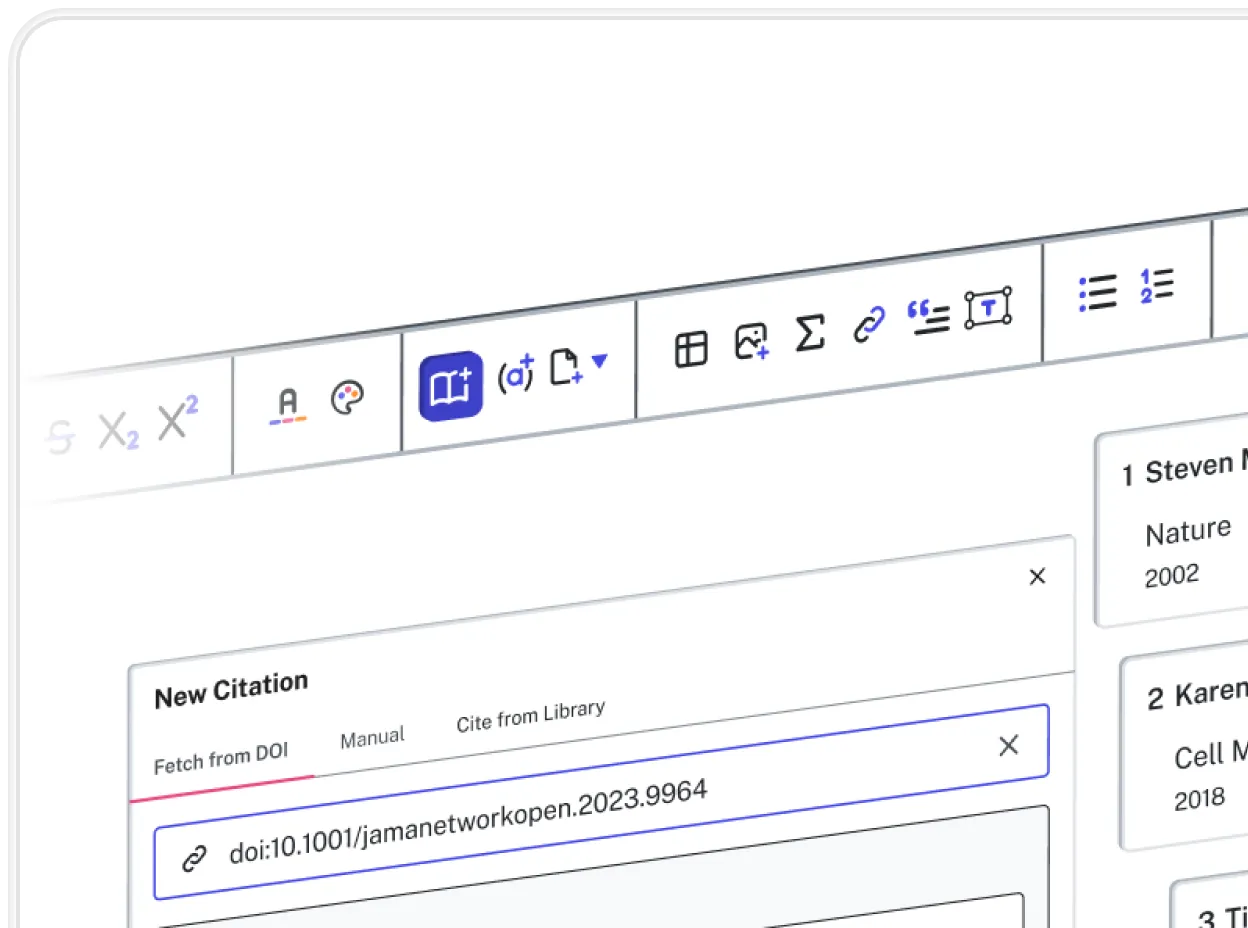
Cite accurately, every time.
Reference sections are where manuscripts quietly fail. A misformatted citation, a wrong journal abbreviation, a missing author name: these errors are easy to miss and time-consuming to fix. The Citation Manager formats your references automatically to any journal style, pulling details directly from DOIs and PubMed, and keeps your in-text citations and reference list in sync no matter how many edits you make.
Learn More

Switch journals without starting over.
When a submission is rejected, the Journal Switcher applies a target journal’s complete formatting requirements: word limits, citation style, section headings, figure caption rules, and more. Formulaic only needs seconds to apply all of these updates to your existing manuscript. Your research stays intact. The structure updates automatically around it.
Learn More
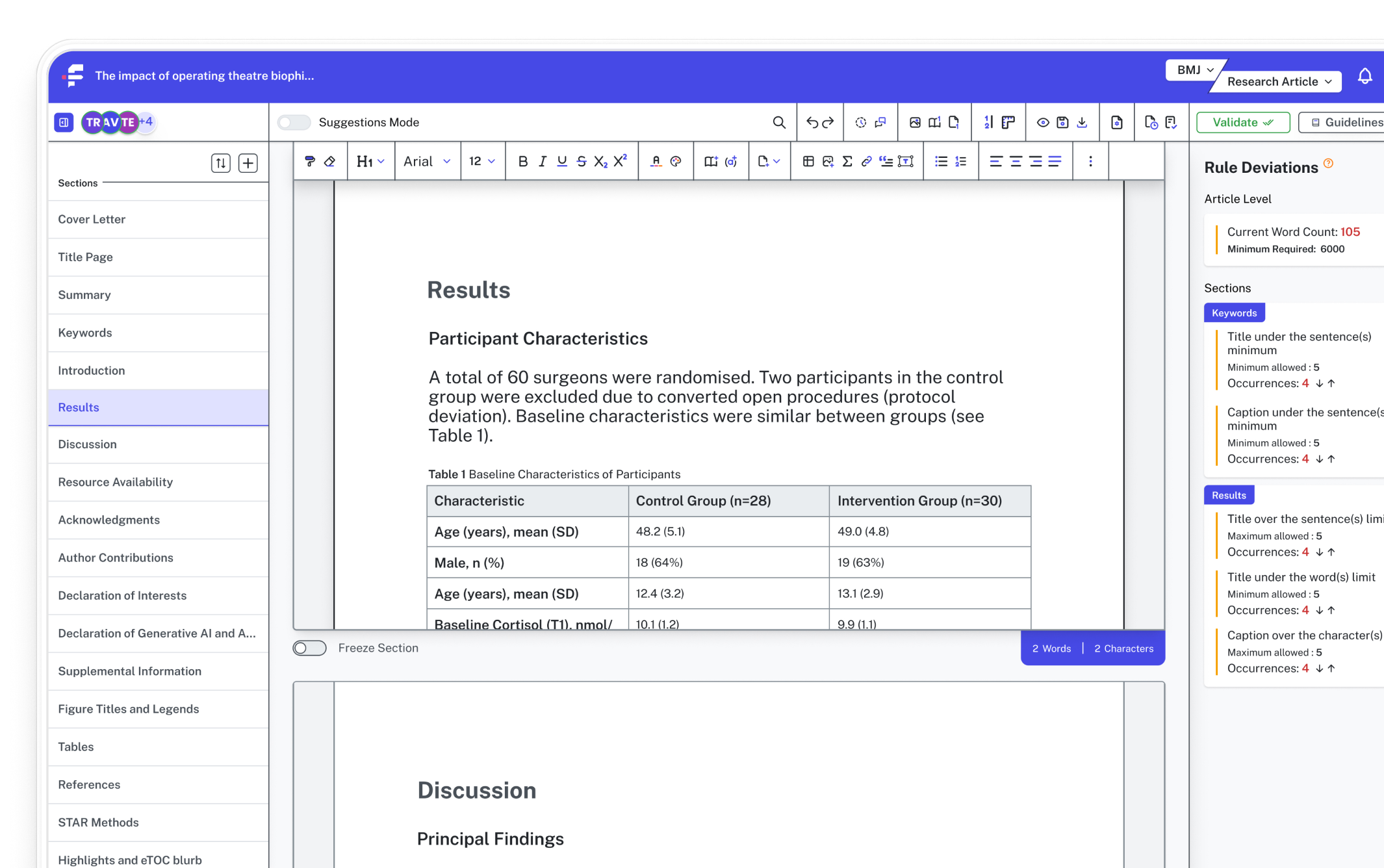
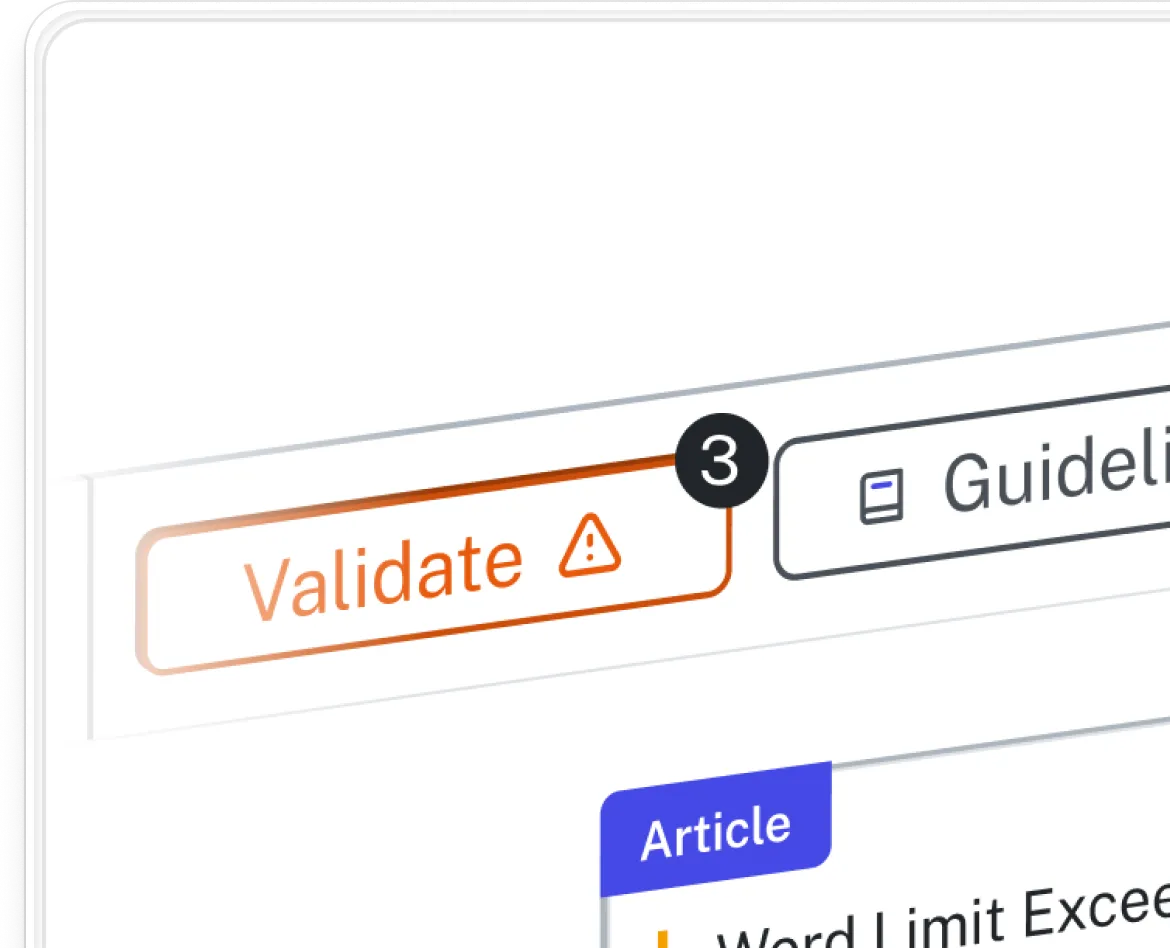
Know you're submission-ready before you submit.
Desk rejections happen for reasons that have nothing to do with your science. Compliance Validation checks your manuscript against the specific requirements of your target journal in real time — flagging word count overruns, missing disclosures, incorrect citation formats, and structural gaps as they appear, not after you've already submitted.
Learn More

Collaborate without the version chaos.
Multi-author manuscripts move through a familiar and painful cycle of tracked edits, conflicting drafts, and scattered email threads. Collaboration Tools replace that cycle with a single shared live document. Every edit is attributed, every version is saved and threaded comments stay attached to the exact right location. Nothing gets lost and nothing gets unintentionally overwritten.
Learn More
Everything researchers need to submit with confidence.
Citations, manuscript formatting, journal compliance, and real-time collaboration. Four tools, one platform, built for scientists who'd rather spend their time on research.
Fewer desk rejections
Formulaic validates your manuscript against journal requirements before you submit, catching formatting issues that typically trigger automatic rejections.
On-demand error flagging
Every change you make can be checked instantly. You see formatting issues at the drafting stage, not after you’ve finished writing.
One tool for every journal
Switch between hundreds of journals without restarting. The Journal Switcher handles the reformatting so you don't have to.
Automatic citation formatting
Paste in a URL or DOI and Formulaic applies the correct journal style when each entry happens. No manual clean-up.
Consistency across contributors
No matter how many authors are working on the document, formatting stays consistent. Everyone writes in the same structured environment.
Complete version history
Every version of your manuscript is saved with a timestamp. Roll back to any previous draft at any time.
Frequently asked questions
Everything you need to know about our product.
The tool features a Formatting Engine that includes hundreds of pre-configured styles. This covers major standards like APA, MLA, Chicago, and Vancouver, as well as specific "house styles" for thousands of individual peer-reviewed journals across all scientific and academic disciplines.
By selecting a new target journal from the database, the Citation Manager instantly updates every in-text citation and the entire bibliography. It automatically handles the heavy lifting, such as changing numerical citations to author-date formats or adjusting the use of "et al." based on the new journal's specific rules.
Yes. Because the Citation Manager maintains a dynamic link between your reference database and the manuscript, it eliminates common manual errors. It ensures that every source cited in the text appears in the references (and vice versa) and perfectly maintains punctuation, italics, and capitalization according to the required style.
While the database is exhaustive, the tool allows for custom style configurations. The Formatting Engine is flexible enough to accommodate unique requirements, ensuring that even the most niche publication standards can be met.
In the event of a rejection, resubmitting to a new publisher usually requires hours of re-formatting. With this tool, that process is reduced to a single click. It reorders citations to match the new sequence of the paper and adjusts all formatting instantly, allowing you to focus on content revisions rather than technicalities.
Different journals have varying rules on when to use "et al." (e.g., after three authors vs. after six). The Citation Manager tracks these rules for each journal and updates your author lists automatically whenever you switch styles.
New citations are created by pasting the DOI or URL, at which point Formulaic pulls all the relevant details into the reference manager instantly. Citations can also be entered manually, or uploaded from a research tool’s export list.
Yes, adding a subsequent citation to the same work maintains the citation ordering without the need for manually adding superscript numbers. All in-text citations linked to the same work will update automatically.
Our reviews
11 out of 10 on journal reformatting. - Senior Medical Writer, Biotech
Join the researchers already on the list

Early access and special launch pricing
A dedicated onboarding session to get you set up
Full access to every tool from day one